Hold Shift and talk to OHIF
Using Jev to classify voice commands for navigation in the OHIF medical viewer.
I remember seeing the Jev announcement on X, probably in the first 30 minutes after it was posted. At first, I didn't get the idea and the use cases, or worse, I thought it was another shenanigan for marketing by some new company. So I asked Codex how this is useful, and it gave me a rough idea. It is a general-purpose classifier! So without being trained on a task, it can give a chance to each class, with some context.
As a long-time open source maintainer, working on the Open Health Imaging Foundation (OHIF) and Cornerstone ecosystem, I had this idea about navigating different tasks and tools using voice. The OHIF Viewer is a pretty good place to test this, since it has a commandsModule with a list of registered commands. So if I can just expose them to Jev and ask Jev to match the narration to a command, pretty much I can control it. There are already built-in commands like:
setViewportGridLayoutto change the layout, say to two by twotoggleOneUpto maximize a viewport and go backsetHangingProtocol,nextStageandpreviousStageto switch hanging protocolsupdateViewportDisplaySetto show the next or previous seriesnextImage,previousImageandjumpToImageto move through the slicesscaleUpViewport,scaleDownViewport,resetViewportandinvertViewportto zoom, reset and inverttoggleCineto play and stop cineaddDisplaySetAsLayerto put one series on top of another, like PET on CT
and many more. Each one is just a name the viewer already knows how to run, and that is exactly what a classifier needs: a list of choices.
How it works
- Speech is captured by the browser's built-in speech recognition in Chrome or Edge while Shift is held, and it is transcribed to text word by word as you talk.
- Context is a snapshot of what is on the screen that OHIF takes with every phrase. On the worklist this is the list of studies, and in the viewer it is the layout, the active viewport and its orientation, the overlay, cine, the open panels, the hanging protocol and the last action.
- Classification is done via Jev in a Cloudflare worker which receives the narrated phrase and the context and is asked to choose multiple choice questions like which action to take, which series and which orientation.
- Action is built by the worker from the answers, and it is either one of the registered OHIF commands, one of the few new commands I added, or a worklist filter or sort, which the viewer then runs.
Since Jev is a classifier, it can only choose from the commands that I give it, so it cannot make up a command that does not exist, and each answer comes with a confidence. It is also fast, and in my runs it answered in 120 to 330 ms for each phrase.
Below are some of the phrases I used in the demo and what Jev chose for each of them:
| You say | Jev's answer | What OHIF did |
|---|---|---|
| “show only CT and PET” | filter, CT + PT (100%) | filtered the worklist from 83 studies to 41 |
| “open the most recent chest CT” | open, the CT Thorax study | opened it |
| “newest first” | sort, study date, descending | sorted the worklist |
| “open series 6538” | open_series, series 6538 LDCT (100%) | hung the low-dose CT |
| “overlay the PET” | overlay_series, PT | fused the PET onto the CT |
| “go to the middle slice” | jump_slice, middle (100%) | jumped to the middle of the stack |
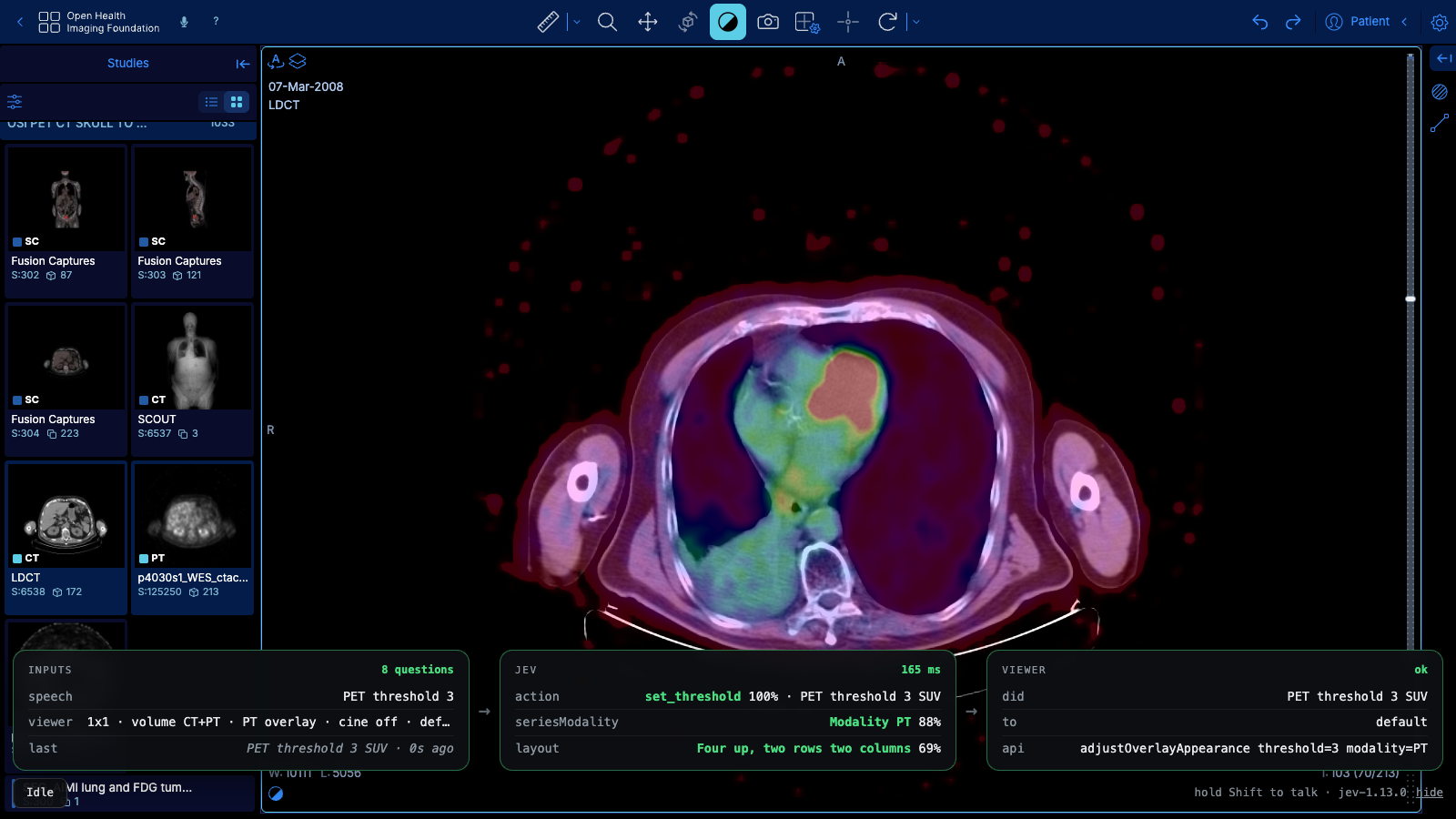
| “PET threshold 3” | set_threshold, PT (88%), SUV 3 | hid PET below SUV 3 |
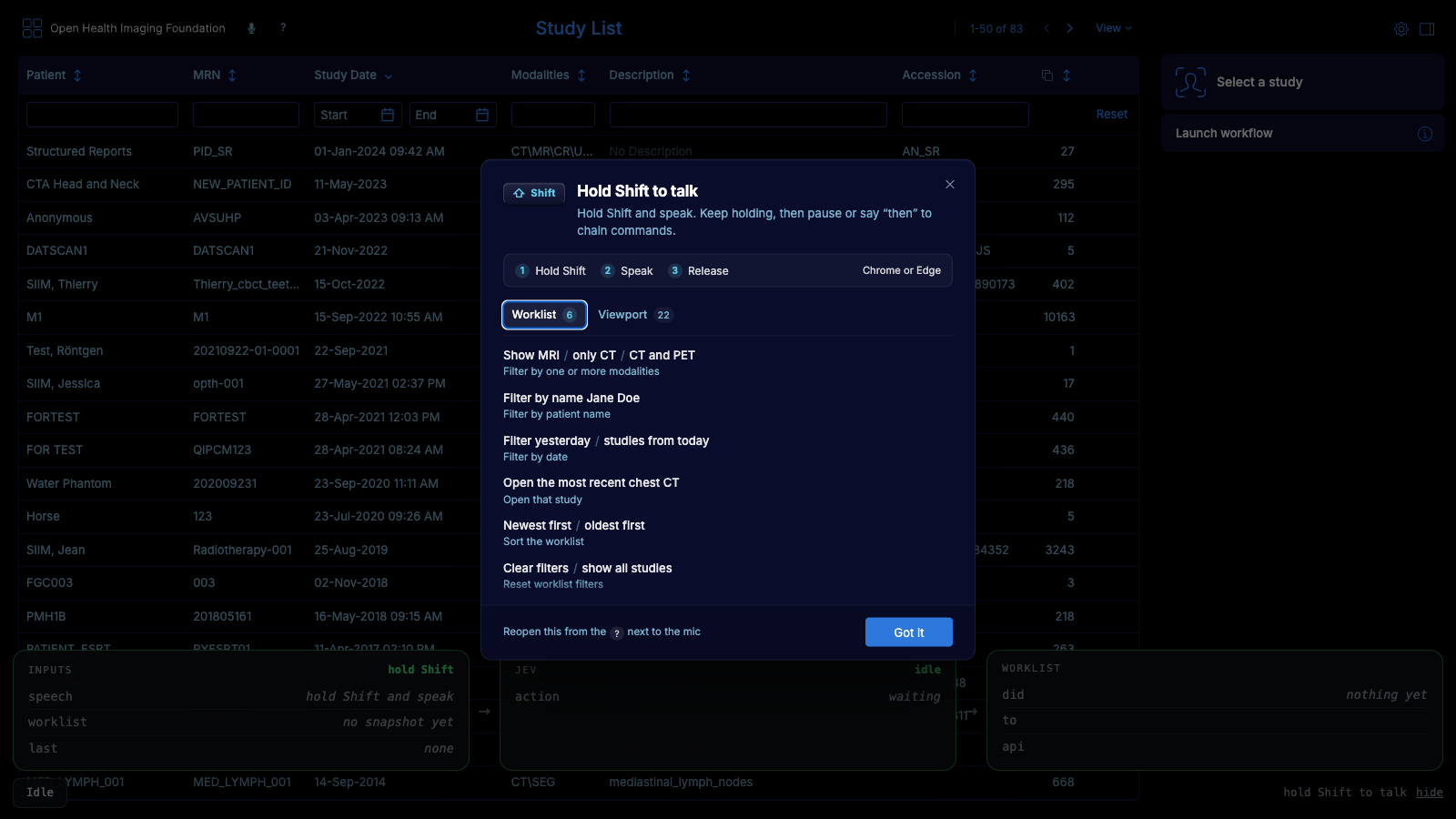
The first time the demo is opened, a card shows the commands that can be said on the worklist and in the viewer:
It knows what's on screen
Since the context is sent with every phrase, short commands like "close it", "bigger", "next" or "reset that" also work, and Jev chooses the right action based on the state of the viewer, for example if cine is playing, a panel is open or a viewport is maximized. Commands can also be chained by keeping Shift held and pausing or saying "then" between them.
Seeing what it decided
To see why a command did or did not work, there is a trace bar at the bottom which shows what was heard, the context that was sent, the answers from Jev with their confidence and latency, and the OHIF command that ran. This makes it easy to tell if the phrase was misheard, misclassified or if the command itself failed.
Segment here
There is also a "segment here" command which runs EdgeTAM, an on-device variant of SAM 2, on the structure under the mouse, all in the browser. Since there was no web version of EdgeTAM, I exported it to ONNX as four graphs, 82 MB in total, which run with onnxruntime-web. The mask starts from the nearest slice, and the memory of the model carries it up and down the stack until the object is lost. Compared to the original model, the worst IoU for a frame was 0.998. It works in the branch, but the model files are not hosted on the public demo yet. It didn't work as good unfortunately.
Try it
You can try it at ohif-jev.alirz.dev in Chrome or Edge by allowing the microphone, holding Shift and talking. It is a research demo on public datasets and not a medical device.